Filings & Tasks
The Filings page brings every return and task across your entire firm into one view. See what's due, what's in progress, and what needs review - without opening individual client workspaces.
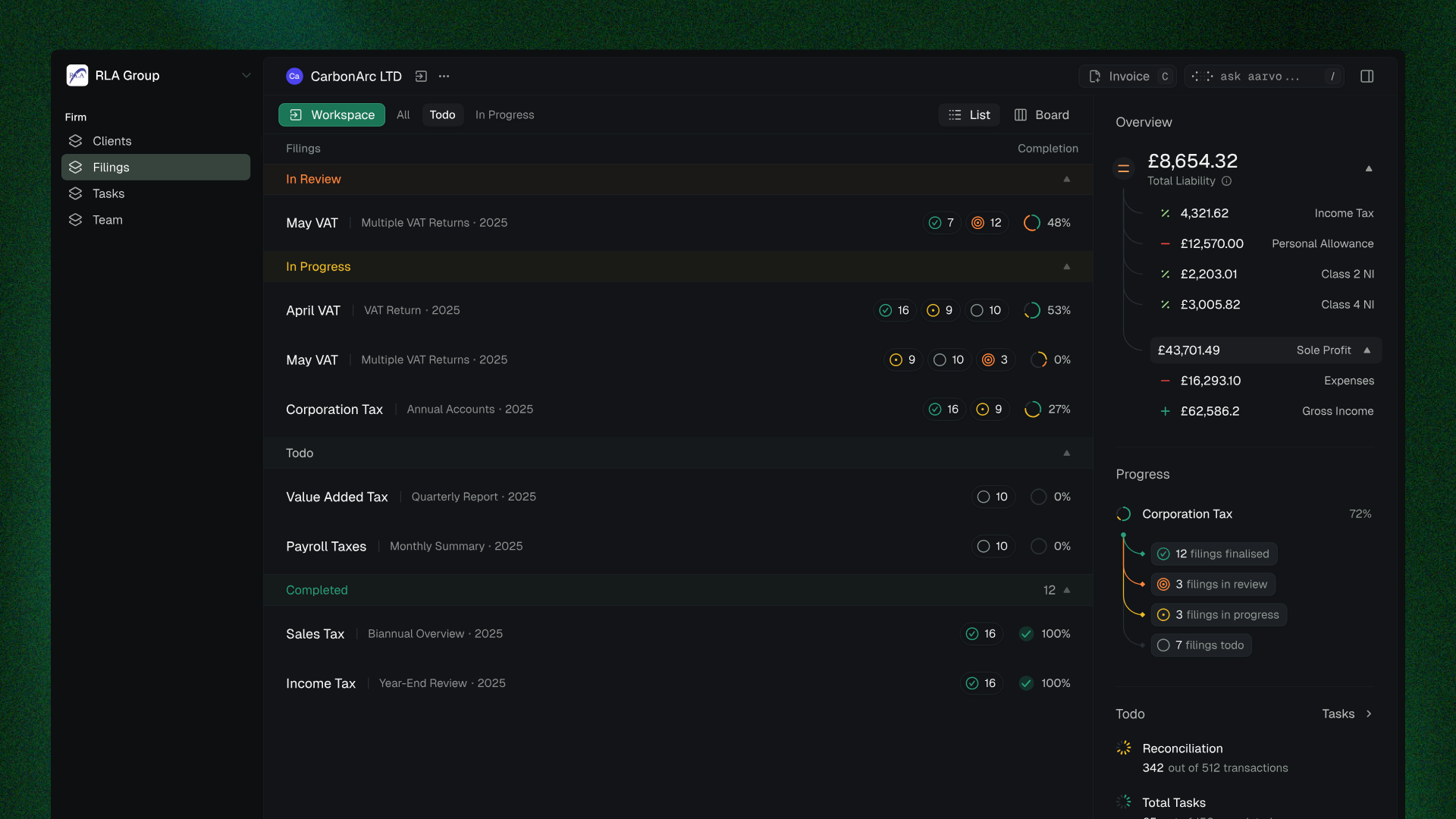
Filing statuses
Every return moves through four stages:
Todo - Returns that haven't been started yet.
In Progress - Work is underway. Team members are actively reconciling, reviewing documents, or preparing the submission.
In Review - The filing lead reviews the return before it's finalised. This stage exists specifically to give senior team members a quality gate before submission.
Completed - Finalised and submitted. No further action required.
Viewing filings
You can view filings in two ways:
All filings - Every return across every client, in one list. Useful for getting a firm-wide picture of workload and deadlines.
Per client - Select a client to see only their returns. This is the recommended view for day-to-day work because it lets you focus on one client's full picture at a time.
Client-level metrics in filings
When viewing a specific client's filings, the side panel shows metrics pulled directly from the client's workspace:
Tax Payable - The client's current tax liability, broken down by income tax, personal allowance, Class 4 NI, and other components.
Safe Profit - Revenue minus expenses with a breakdown of where the numbers come from.
Progress - Filing completion status across all return types for that client.
Reconciliation - How many transactions are pending reconciliation and total transaction count.
Total Tasks - Outstanding tasks specific to that client.
This is the two-way system in action. These are the same figures your client sees in their own dashboard - you're looking at live data, not a copy.
Tasks
Tasks sit underneath filings. Each filing generates tasks that need completing - reconciling a set of transactions, uploading missing documents, reviewing categorisations, confirming tax rates.
Tasks are assigned to individual team members (the Assignee role in the hierarchy). The filing lead oversees all tasks within their filing, and the main contact has visibility across everything.
You can view all tasks across your firm from the Tasks tab, or filter to see only your own assigned tasks using the Your Tasks toggle.
Clients - Team - Firm overview
List and board views
Both Filings and Tasks support list and board (Kanban) views. Toggle from the top-right of the screen.
Board view groups items by status - ideal for standups and team reviews. List view is better for sorting by deadline or filtering by assignee.